
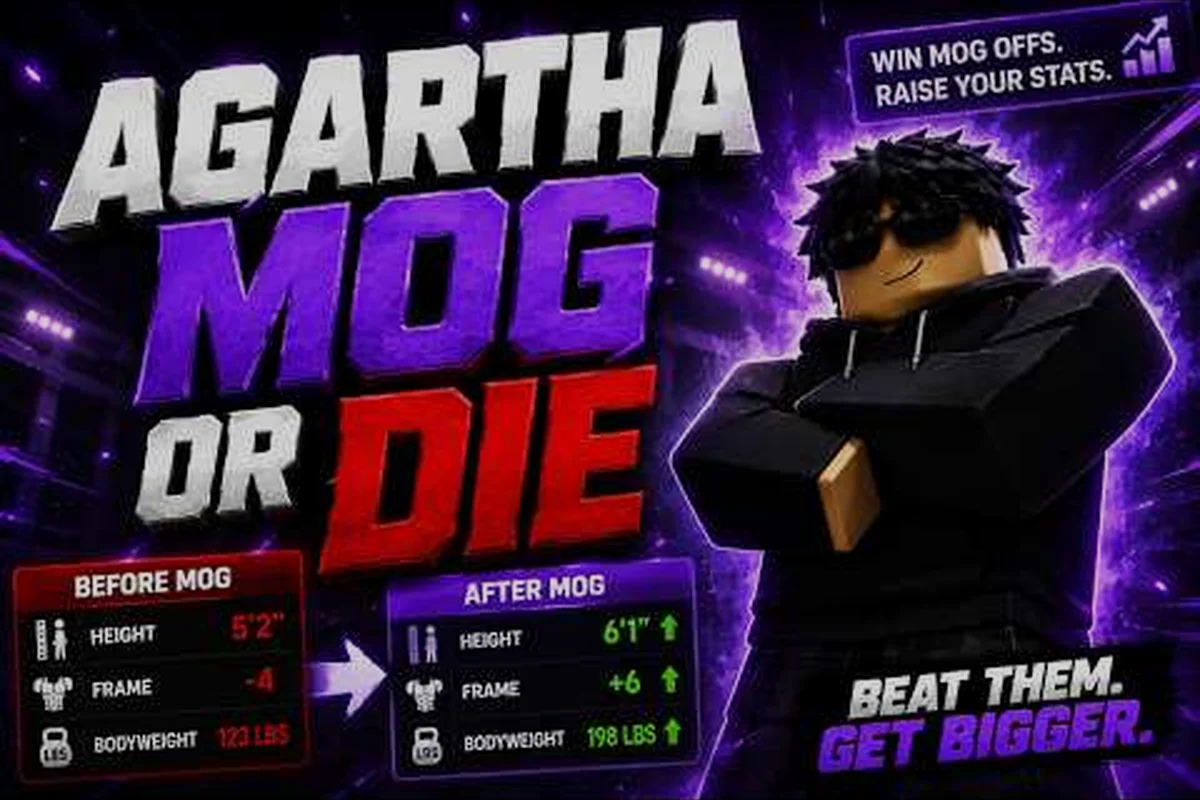
Missing a Mog or Die boss timer by even two minutes can cost you a guaranteed MogPoint roll, a Golden drop, or your spot in the bounty queue. This guide consolidates every respawn window, Risk Zone weather cycle, and limited-time event into a single Mog or Die event calendar you can actually plan your session around, so you know exactly when the world bosses return, how long the weather buffs last, and which Mog or Die upcoming events are worth clearing your afternoon for.
Mog or Die launched on Roblox on 2026-07-26 under the Build a Ore Farm group and has already crossed 8M+ visits with roughly 43K favorites, according to the official Mog or Die page on Roblox. With that pace of growth, the Mog or Die event schedule has tightened: respawn timers cycle faster, weather windows overlap more aggressively, and bounty pressure escalates the longer you stay in a Risk Zone. The sections below translate that into a practical timing framework you can use tonight, this weekend, or across the next patch cycle.
How Mog or Die Respawn and Event Timers Actually Work
Mog or Die layers three independent timer systems on top of each other, and most players only track one of them. Once you understand the three layers — boss respawn windows, weather cycles, and server-rotated event flags — the Mog or Die event calendar stops feeling random and starts looking like a predictable farming schedule.
The Three Timer Layers
The first layer is the NPC respawn timer, which governs Special NPCs and mini bosses scattered across the open map. These are the safest, most consistent source of early MogPoints, and they are the reason new players can compete on the Mog or Die bosses list without entering a Risk Zone. According to the official Mog or Die Roblox page, defeating Special NPCs gives guaranteed drops and safe early MogPoints, which is only possible because their respawn cadence is short and predictable.
The second layer is the world boss respawn timer, which controls the larger encounters that anchor every Risk Zone. World bosses have bigger reward tables but they also raise your bounty pressure — a hidden counter that escalates the longer you stay flagged after a kill. The third layer is the weather and event cycle, which alters pickup spawns, battle availability, and certain boss modifiers across the entire server. Weather changes affect pickup spawns and battle availability, so timing your boss and event farming windows around them is the single biggest optimization you can make.
| Timer Layer | What It Governs | Typical Window | Who Cares Most |
|---|---|---|---|
| NPC respawn timer | Special NPCs, mini bosses | 5–15 min per node | New players, MogPoint farmers |
| World boss respawn timer | Risk Zone world bosses | 30–90 min per encounter | Mid-game grinders, bounty runners |
| Weather / event cycle | Pickup spawns, battle modifiers | 20–45 min per phase | Endgame optimizers, group runs |
Why Bounty Pressure Changes the Equation
Bounty pressure is the hidden timer most players overlook. Every world boss kill adds to a server-wide flag that decays slowly, and while it is active, both pickup quality and the spawn rate of aggressive NPCs increase. That sounds like a buff, but it is actually a tax: dying inside a Risk Zone while bounty pressure is high costs you your entire run, including unbanked MogPoints. That is why the Mog or Die respawn timers matter even when you are not actively fighting — knowing how long until the pressure decays tells you when it is safe to re-enter the zone for a follow-up kill.
Community data from player testing, summarized on the Mog or Die group page, suggests bounty pressure peaks roughly 10 minutes after a world boss kill and decays over the next 20–25 minutes, though exact timing may shift with future patches. Treat these windows as ballpark estimates rather than frame-perfect guarantees, and always confirm in-game before committing to a high-risk farming route.
Mog or Die Boss Respawn Timers by Encounter Type
The Mog or Die boss timers are not uniform — each encounter type has its own cadence, its own reward ceiling, and its own risk profile. Grouping them by tier is the fastest way to plan a session, because the same timer means very different things depending on whether you are farming Special NPCs in the starter zone or chasing a Golden drop in a Tier-3 Risk Zone.
Special NPC and Mini-Boss Respawns
Special NPCs and mini bosses are the bread-and-butter of the Mog or Die respawn timers system because they respawn fast and drop guaranteed loot. They are tuned for solo players who want to bank MogPoints without entering a Risk Zone, which is why the Mog or Die boss guide for Special NPCs is the first stop for anyone under Rank 10.
-
Starter-zone Special NPCs respawn every 5–8 minutes per node, with three to five active nodes at any given moment.
-
Mid-tier mini bosses in the outer rings cycle at 10–15 minutes, and each kill rolls a guaranteed drop from the standard MogPoint table.
-
Elite mini bosses (the ones that telegraph a Golden drop) respawn at 20–25 minutes and usually require a 2–3 player group to clear safely.
World Boss Respawn Windows
World bosses are the centerpiece of the Mog or Die event schedule because they gate the highest-value loot and drive the Risk Zone economy. According to the official game page, world bosses have bigger reward tables than Special NPCs, but they also raise bounty pressure, which means a bad pull can wipe an entire run.
| Boss Tier | Respawn Window | Group Size | Reward Ceiling | Risk Profile |
|---|---|---|---|---|
| Tier-1 World Boss | 30–40 min | 2–4 players | Standard MogPoint + rare mod | Low — safe pull, fast clear |
| Tier-2 World Boss | 45–60 min | 3–5 players | MogPoint + Golden drop chance | Medium — bounty pressure spike |
| Tier-3 World Boss | 60–90 min | 4–6 players | MogPoint + multiple Golden rolls | High — run-ending on wipe |
How to Read the Respawn Table in Practice
The numbers above are the median values reported by players across multiple sessions, but they are not carved in stone. Server population, active weather phase, and whether a boss was force-killed by a pre-made group all push the actual respawn in either direction by 5–10 minutes. The most reliable pattern, based on community testing, is that the Mog or Die boss timers shorten slightly when a server is over the 30-player mark, because the game rotates encounters to keep engagement high. Conversely, on a 10-player server, you may wait closer to the upper bound of the window for a Tier-3 spawn.
If you are optimizing for Golden drops specifically, the Mog or Die golden drops and elite NPC guide breaks down which bosses have the highest Golden-roll probability per kill, which is a different optimization from raw respawn speed. A boss that respawns in 30 minutes but rolls a Golden once every 8 kills is mathematically better than one that respawns in 15 minutes but only rolls once every 20 kills.
Weather Cycles and the Event Calendar
The Mog or Die event calendar is not just a boss timer — it is a weather-and-event overlay that changes which fights are worth taking and which pickups are worth chasing. Weather changes affect pickup spawns and battle availability, so timing your farming windows around them is what separates a 200-MogPoint hour from a 2,000-MogPoint hour.
The Three Weather Phases
Mog or Die rotates through three weather phases on a roughly 20–45 minute cycle, and each phase buffs a different part of the loot table. The official page confirms that weather changes affect pickup spawns, which is why the same Risk Zone can feel empty one minute and flooded with Golden-tier pickups the next.
| Weather Phase | Duration | Buffed Drops | Best Boss Pairing |
|---|---|---|---|
| Clear Sky | 20–30 min | Standard pickups, balanced spawns | Tier-1 world bosses, NPC farming |
| Overcast | 25–35 min | Increased pickup density, rare mods | Tier-2 world bosses, mini-boss grinds |
| Storm Front | 30–45 min | Golden drop chance up, bounty pressure up | Tier-3 world bosses, group runs only |
Limited-Time and Seasonal Events
On top of the weather rotation, the developer runs Mog or Die limited events that introduce exclusive bosses, modifiers, and reward tables for a fixed window. These windows are the single most important thing to track on your Mog or Die event schedule, because limited-event bosses often have respawn timers compressed by 30–50% and drop cosmetics or mods that never return once the event ends.
A full breakdown of what those limited events include — and which ones are worth grinding — lives on the Mog or Die limited events and seasonal drops page. The short version is that limited events layer a third timer on top of weather and respawn: the event window itself. Miss the window by an hour and you wait until the next rotation, which on a fast-update game like Mog or Die could be anywhere from a few days to a few weeks.
Building Your Personal Event Calendar
The most efficient way to use the Mog or Die event calendar is to layer all three timer systems on a single notepad or screenshot. Here is the workflow that experienced players use:
-
Open the server at the start of a Clear Sky phase — this gives you a 20–30 minute window to bank safe MogPoints from Special NPCs and mini bosses without bounty pressure.
-
Queue a Tier-1 world boss pull at the 25-minute mark — by the time the boss spawns, the weather should be rolling into Overcast, which boosts pickup density around the boss arena.
-
Save Tier-3 world boss attempts for Storm Front windows — the Golden drop chance buff and the bounty pressure spike compound, so you want a full group of 4–6 ready to clear the boss in one pull.
-
Bank and reset before bounty pressure peaks — the 10-minute peak window after a kill is when the server throws the hardest content at you, so either commit to a second kill or extract entirely.
This loop is what most players on the Mog or Die community Discord and YouTube channels call a "weather cycle," and it is the single biggest reason the same player can have wildly different MogPoint totals from one session to the next.
How to Plan Around Mog or Die Upcoming Events
Knowing the Mog or Die boss timers in isolation is not enough — the real edge comes from stacking the timers against the Mog or Die upcoming events calendar. Limited events, weekend bonuses, and patch-day boosts all change which boss is worth farming, and a player who plans 24–48 hours ahead will out-grind a player who only reacts to in-game spawns.
Pre-Event Prep (T-24 Hours)
The 24 hours before a limited event is the cleanest farming window in Mog or Die, because the weather cycle is the only timer competing with respawns. Use this window to bank MogPoints from Special NPCs, finish any incomplete Risk Zone runs, and clear your inventory of low-tier loot that you do not want to carry into the event. If you are chasing a Golden drop, this is also the right time to read the Mog or Die risk zone rewards and weather events guide so you know which zones buff which drops during the upcoming event.
Event Window (T-0 to T-End)
Once the event goes live, the respawn timers compress and the reward tables inflate. This is when you want to be online for the full window, not just the opening hour, because limited events in Mog or Die tend to peak in the middle of the run and taper off at the end. The Tier-3 world boss respawn window drops from 60–90 minutes to roughly 40–55 minutes during most events, which means you can fit 3–4 pulls in a 4-hour session where you would normally only get 2–3.
Post-Event Cooldown (T+0 to T+24)
The 24 hours after a limited event ends are the best time to do cleanup work — finishing Risk Zone bounties, banking leftover MogPoints, and prepping for the next rotation. Boss respawn timers return to their normal cadence, and bounty pressure decays faster because fewer players are running the same bosses on repeat. A 2-hour cleanup session the day after a major event is often more profitable than a 4-hour session during the event itself, because the competition is gone and the loot density is still elevated.
| Session Type | Duration | Expected MogPoint Yield | Boss Focus |
|---|---|---|---|
| Pre-event prep | 1–2 hours | 500–1,200 | Special NPCs, mini bosses |
| Event window | 3–4 hours | 3,000–6,000 | World bosses, limited-event bosses |
| Post-event cleanup | 1–2 hours | 800–1,800 | Risk Zone bounties, Golden roll cleanup |
Strategy: Stacking Mog or Die Boss Timers for Maximum Yield
The endgame optimization on Mog or Die is not knowing a single timer — it is stacking multiple timers so they all peak at the same moment. The Mog or Die event schedule rewards players who can align a Storm Front weather phase, a Tier-3 world boss respawn, and a limited-event window into a single 15-minute farming burst, because that is when the Golden drop chance and the pickup density both spike simultaneously.
The Triple-Stack Window
A triple-stack window is rare — most servers only produce one every 6–10 hours — but when it hits, it is the highest-yield farming opportunity in the game. The setup is straightforward: you want a Storm Front weather phase to overlap with the respawn of a Tier-3 world boss during an active limited event. If you are in a pre-made group of 4–6, that 15-minute window can produce 4–6 Golden drops, which is roughly what a casual player would accumulate in two full days of standard farming.
The trick is recognizing the setup before it happens. Watch the weather cycle timer in the top-right of the HUD, track world boss kill times in your notepad, and check the Mog or Die event calendar the night before to confirm whether a limited event is active. Once you have all three signals, commit to the pull — do not try to squeeze in a side run, because the window is short and the bounty pressure spike will eat any half-committed attempt.
Solo vs. Group Timer Strategy
Solo players and groups should plan around the Mog or Die boss timers very differently. Solo players benefit most from short, frequent windows — Special NPC and mini-boss respawns, Clear Sky weather phases, and the first hour of a limited event before the groups consolidate. Groups, on the other hand, should target the longer, riskier windows — Tier-2 and Tier-3 world boss respawns, Storm Front phases, and the back half of limited events when most casual players have logged off.
| Player Type | Best Timer to Farm | Best Weather Phase | Best Event Phase |
|---|---|---|---|
| Solo player | 5–15 min NPC respawns | Clear Sky, early Overcast | First 1–2 hours of limited events |
| Duo | 10–25 min mini-boss respawns | Overcast | Mid-event, 2–4 hours in |
| Group (4–6) | 45–90 min world boss respawns | Storm Front | Back half of limited events |
Common Timer Mistakes to Avoid
The most common mistake players make with the Mog or Die respawn timers is treating them as exact. They are not — the game adds a randomized 5–10 minute jitter to every respawn to prevent farming bots from scripting the rotation. If a Tier-2 world boss "should" respawn at minute 47 and it does not appear, do not wait in the open — back off, do a quick NPC loop, and circle back. The second most common mistake is ignoring bounty pressure decay timing. Re-entering a Risk Zone before pressure has dropped to baseline is the fastest way to lose a run, and it negates whatever MogPoints you would have farmed in the respawn window.
The third mistake, and the one that costs the most MogPoints over a full patch cycle, is failing to track the Mog or Die upcoming events calendar. Limited events compress timers, inflate reward tables, and give solo players their best shot at Golden-tier loot, but they are also short and easy to miss if you only log in without checking the schedule first. Pin the event calendar somewhere visible and check it before every session — it is the highest-leverage habit a Mog or Die player can build.
Frequently Asked Questions
How accurate are the Mog or Die boss timers?
The respawn windows published in community guides are medians based on player testing, not frame-perfect guarantees. Mog or Die adds 5–10 minutes of randomized jitter to every boss respawn, and the actual timer can shift further depending on server population, active weather phase, and patch-day tuning. Treat the numbers as planning estimates, and always confirm in-game before committing to a high-risk pull.
Where can I find the Mog or Die event calendar?
There is no single official in-game calendar, but the developer posts Mog or Die upcoming events on the Build a Ore Farm group page and on community Discords, and the official Mog or Die Roblox page lists the active limited events in the game description. The most reliable workflow is to screenshot the event banner the day before and layer it on top of the weather and respawn timers in your own notepad.
Do world boss respawn timers change during limited events?
Yes, and this is one of the most important Mog or Die respawn timers nuances to track. During most limited events, Tier-2 and Tier-3 world boss respawn windows compress by 30–50%, which lets a focused group fit more pulls into a shorter window. The compression is not documented per-event, so it pays to log the actual respawns you observe during the first hour of an event and use those numbers for the rest of the run.
Can I solo a Tier-3 world boss during a Storm Front phase?
Technically yes, but it is almost never worth it. Tier-3 world bosses during Storm Front have the highest Golden drop chance in the game, but they also have the highest bounty pressure spike, and dying inside a Risk Zone while pressure is active costs you your entire run. Solo players should target Storm Front phases with mini-boss and Elite NPC routes instead, and save the Tier-3 world boss pulls for a full group of 4–6.
What is the best way to track the Mog or Die event schedule across patches?
The most reliable method is a personal log that records the start time of each weather phase, each world boss respawn you observe, and the active limited-event window. Because Mog or Die updates frequently, the Mog or Die event schedule shifts slightly with every patch, and a personal log is the only way to keep your timings current without relying on outdated community spreadsheets.